
Tablet Exam Interface Guidance
On this page you will find screenshots of the interface used for our on-site tablet exams. We provide the tablet at the exam location, and a proctor is there to help if anything is unclear. You go through registration, the terms and conditions, and the exam itself. Tap any screenshot to enlarge it.
Registration
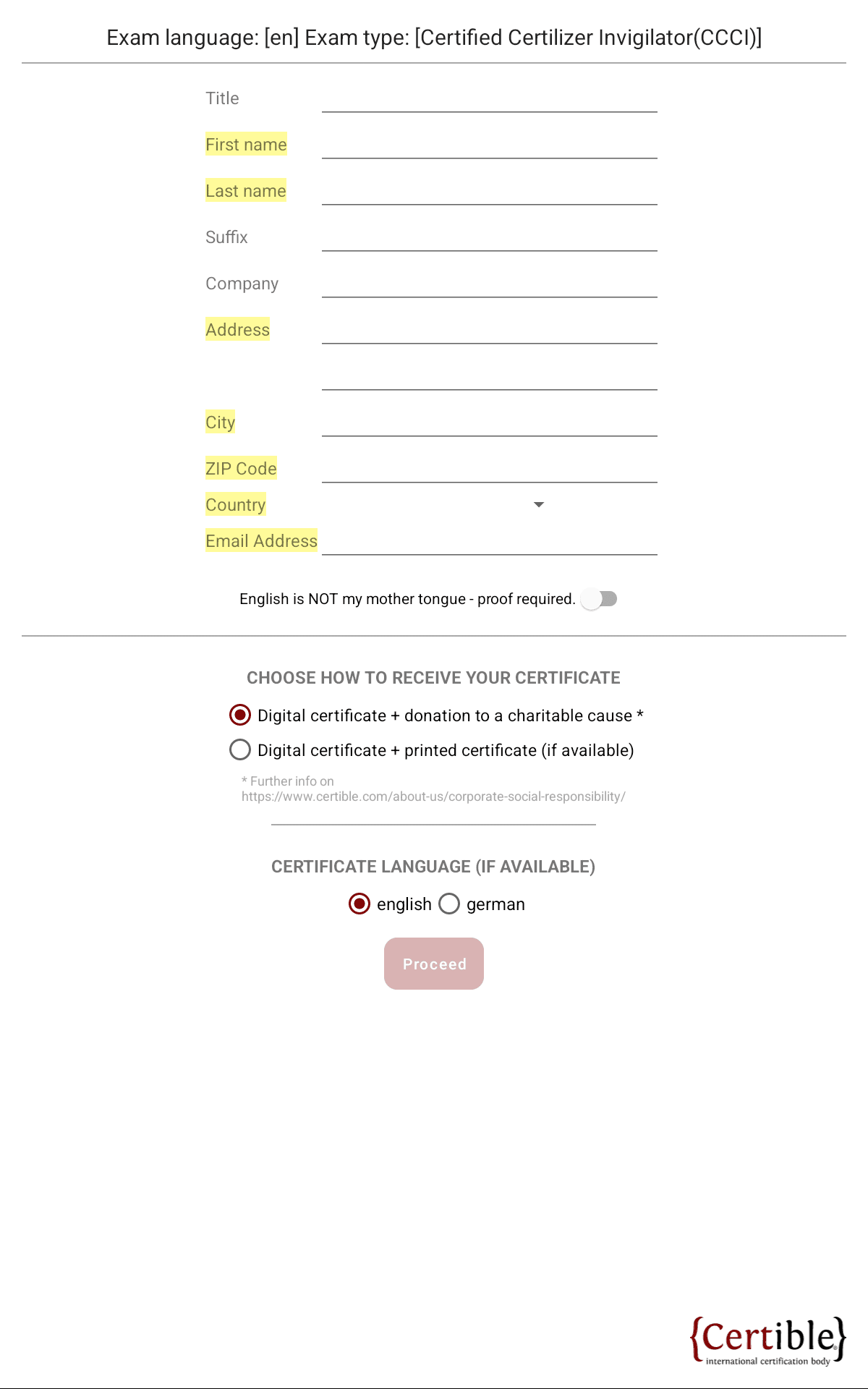
You enter your personal details and choose how you want to receive your certificate. The fields you still need to fill in are highlighted, and the Proceed button stays inactive until all required fields are complete.
Terms and Signature
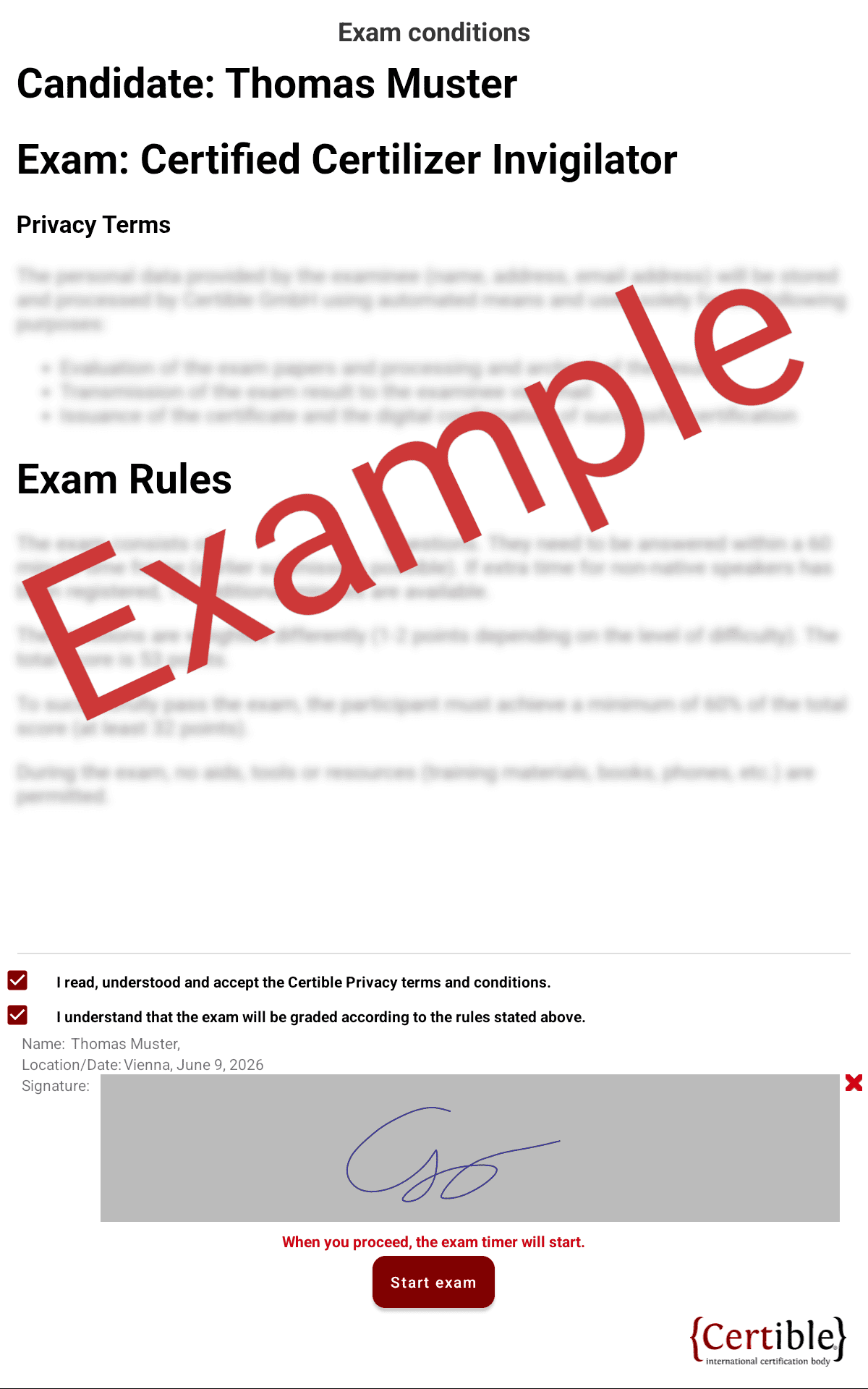
You read the privacy terms and exam rules, confirm the mandatory checkboxes, and sign with the stylus we provide. Tapping Start exam begins the exam and starts the timer.
Exam Interface
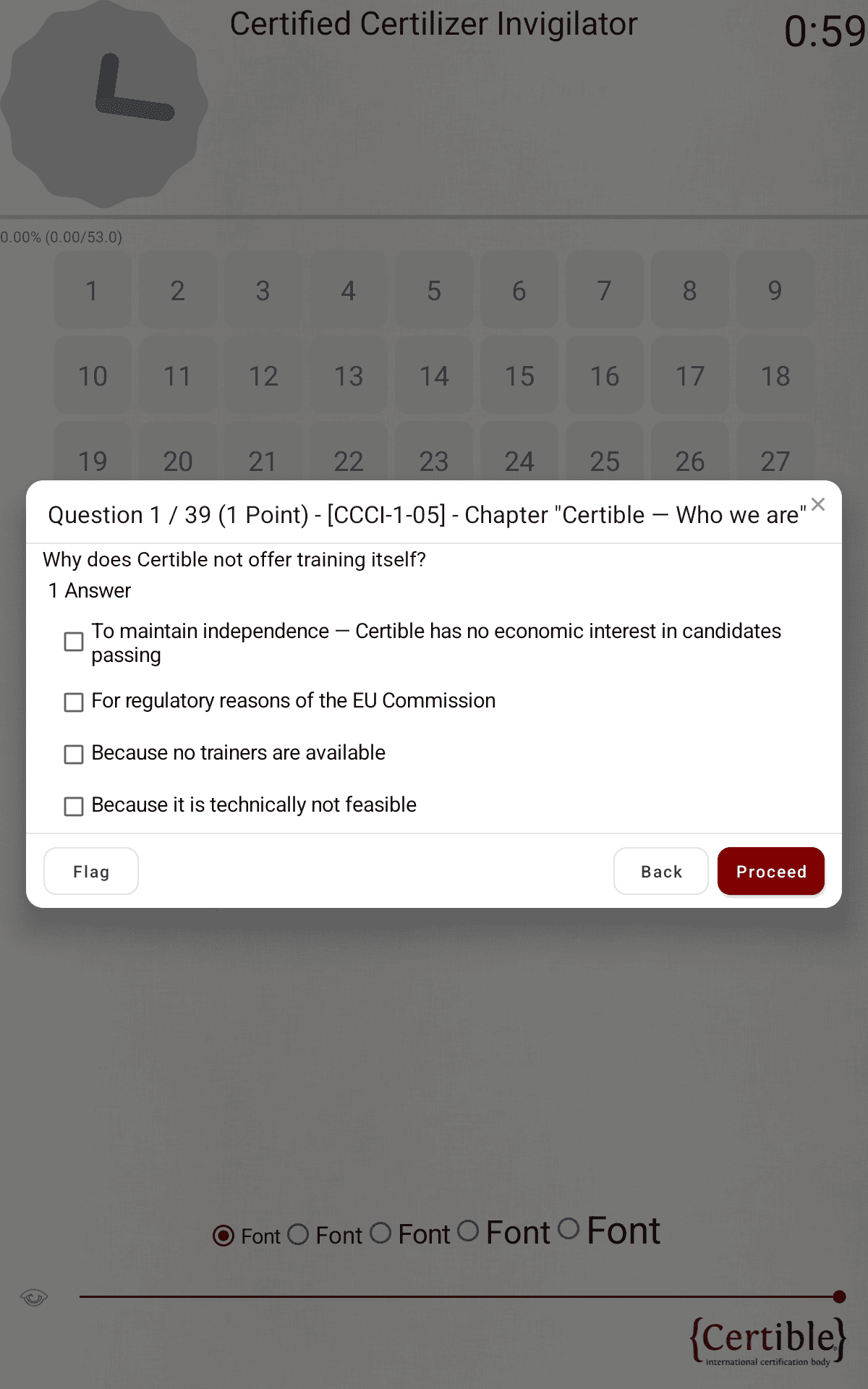
Tap a number in the grid to open that question; you can answer them in any order. The clock and countdown at the top show your remaining time, and the countdown turns red in the last five minutes. Each question opens as a dialog with a Flag, Back and Proceed button.
Answer Colours
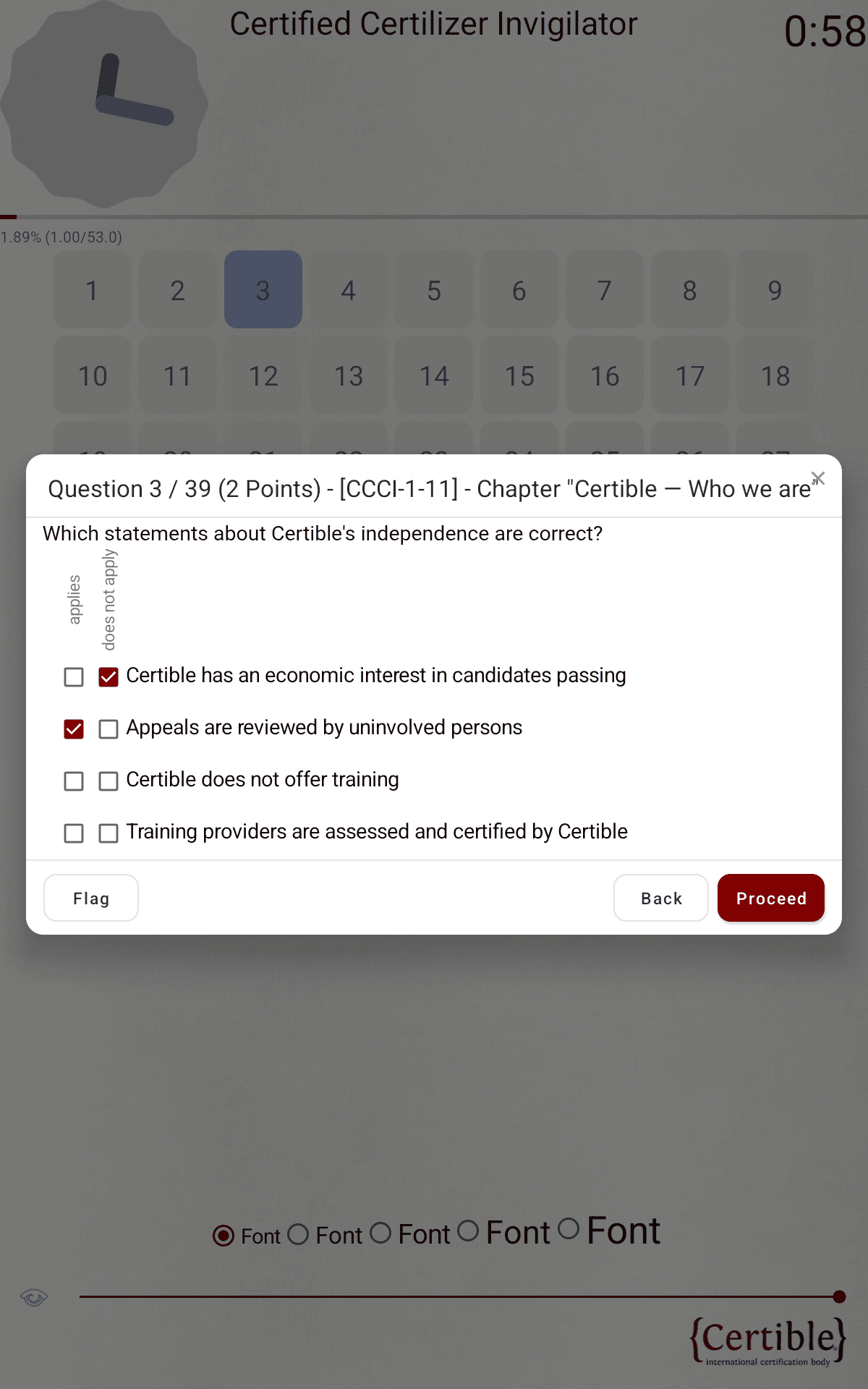
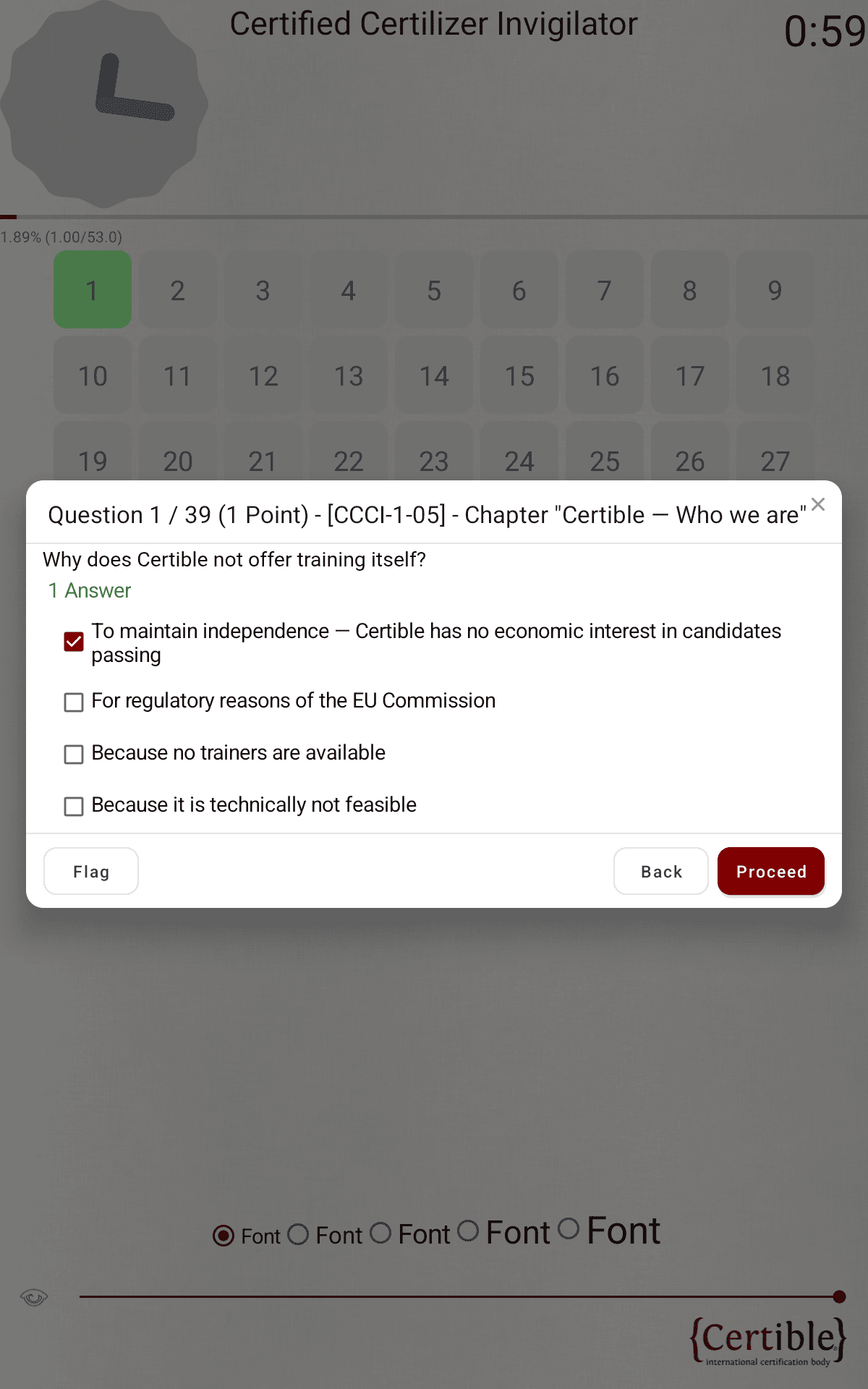
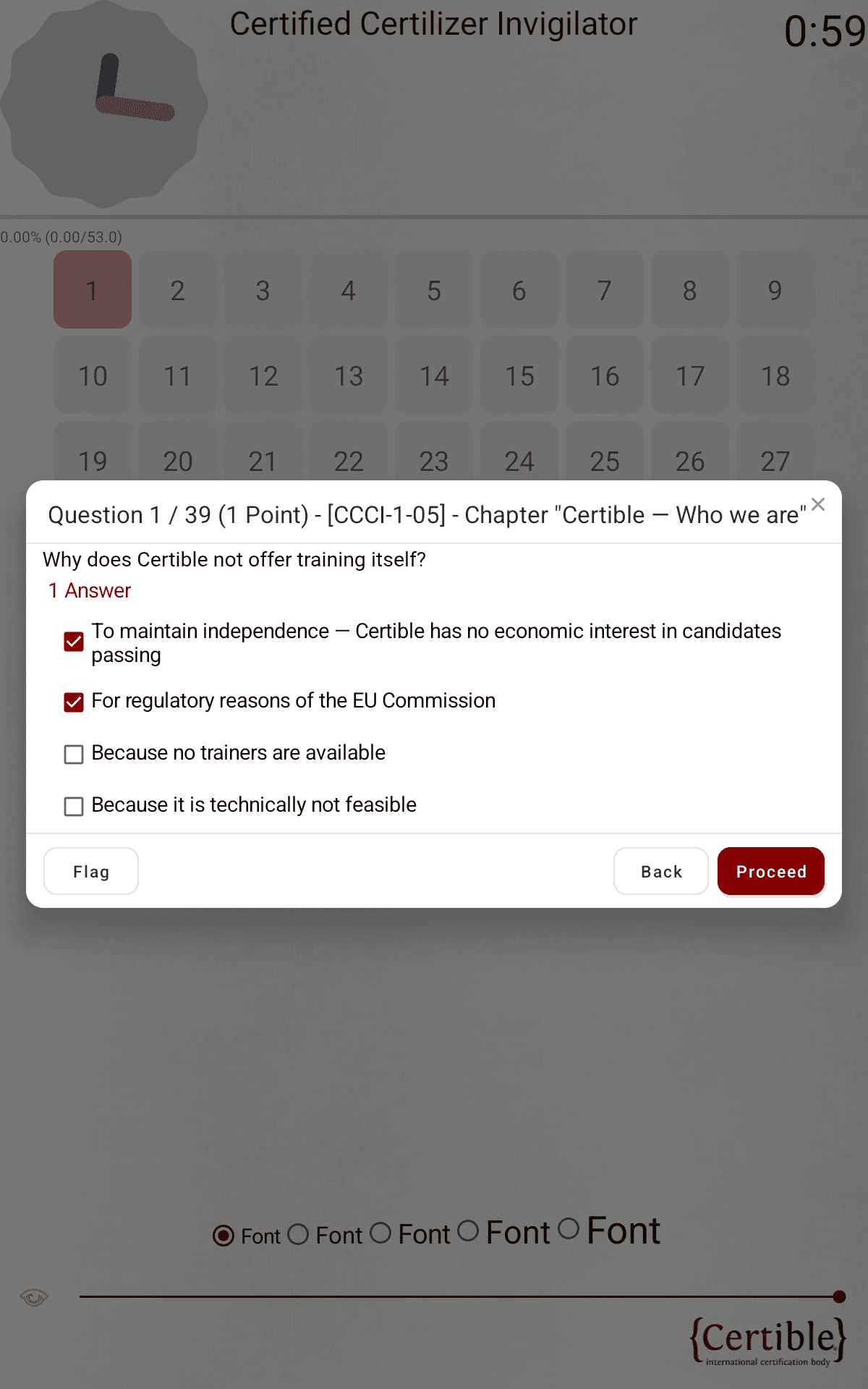
The colour of a field in the grid shows how far you have answered that question:
- Grey / white: not answered yet.
- Blue: partially answered.
- Green: fully answered, the expected number of answers is selected.
- Red: too many answers selected, remove some until it turns green.
The colour only shows whether the question is complete, not whether your answer is correct.
Flag for Review

Tap Flag in the question dialog to mark a question for review. It then appears in the grid with a red flag, so you can find it again.
Questions with an Image
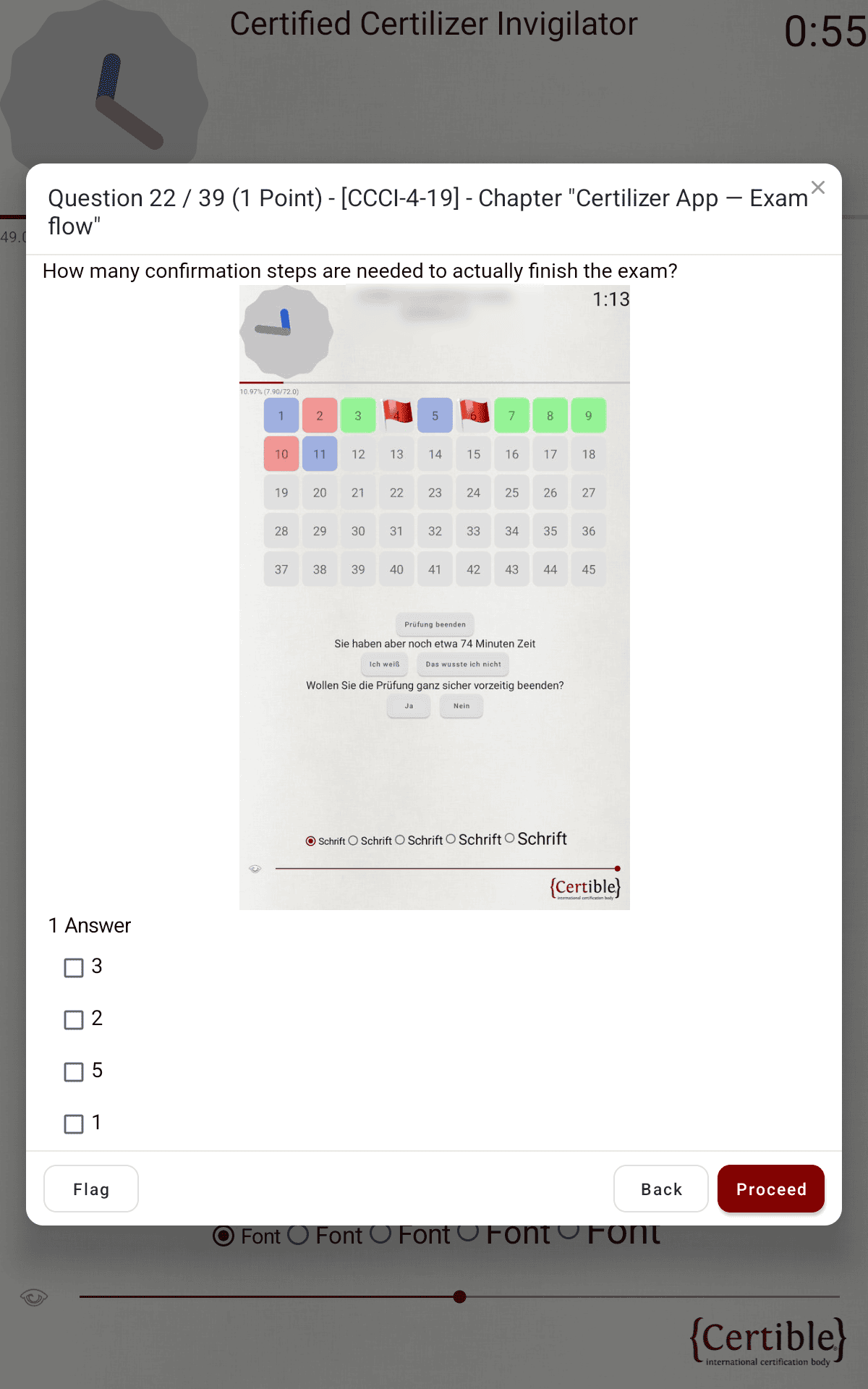
Some questions contain an image. You can zoom with two fingers or a double tap, and tap it to open fullscreen. In fullscreen, an X appears in the top-right corner to close it.
Font Size and Brightness
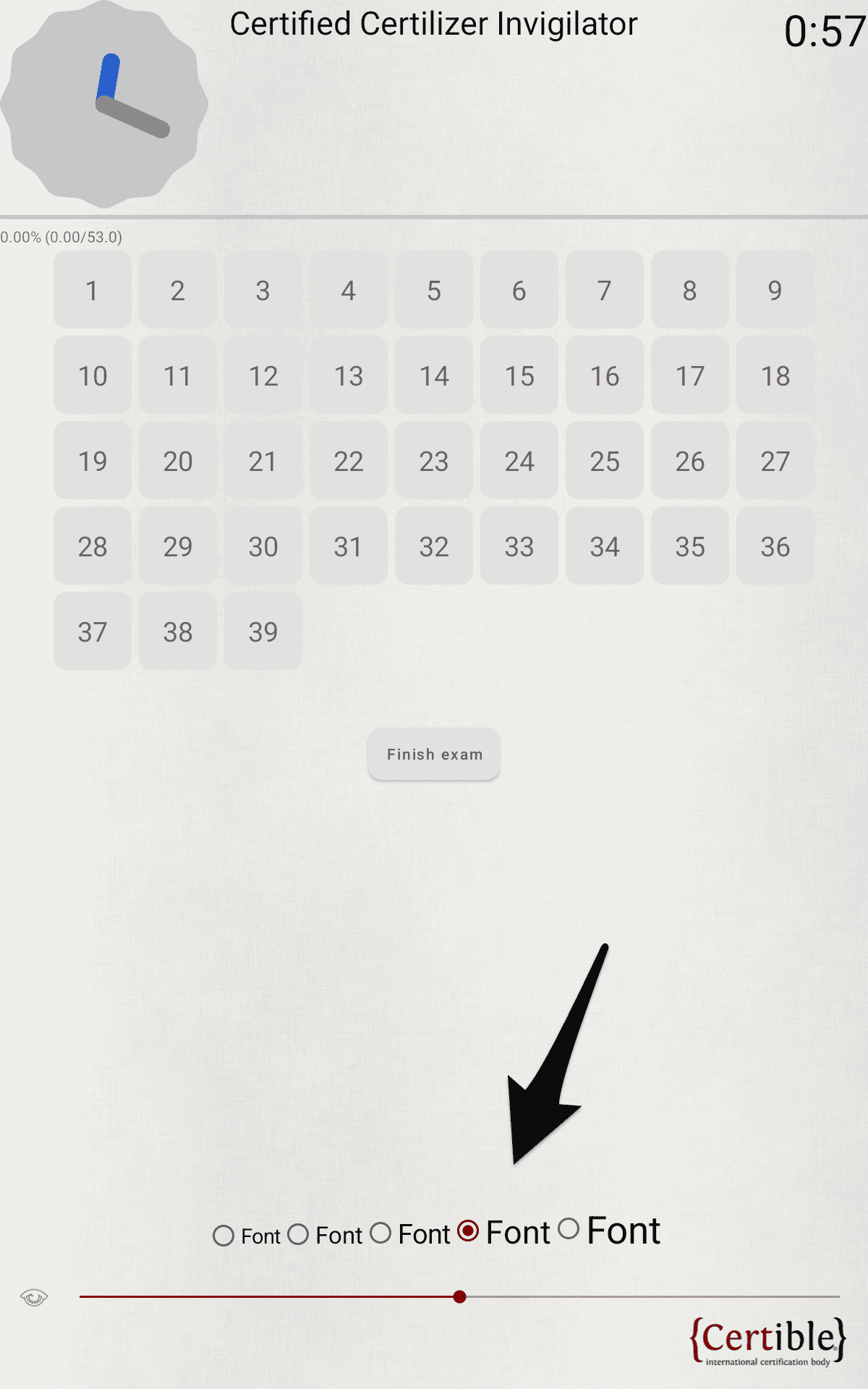
At the bottom of the screen you can change the font size and adjust the screen brightness with the slider.
Finishing the Exam
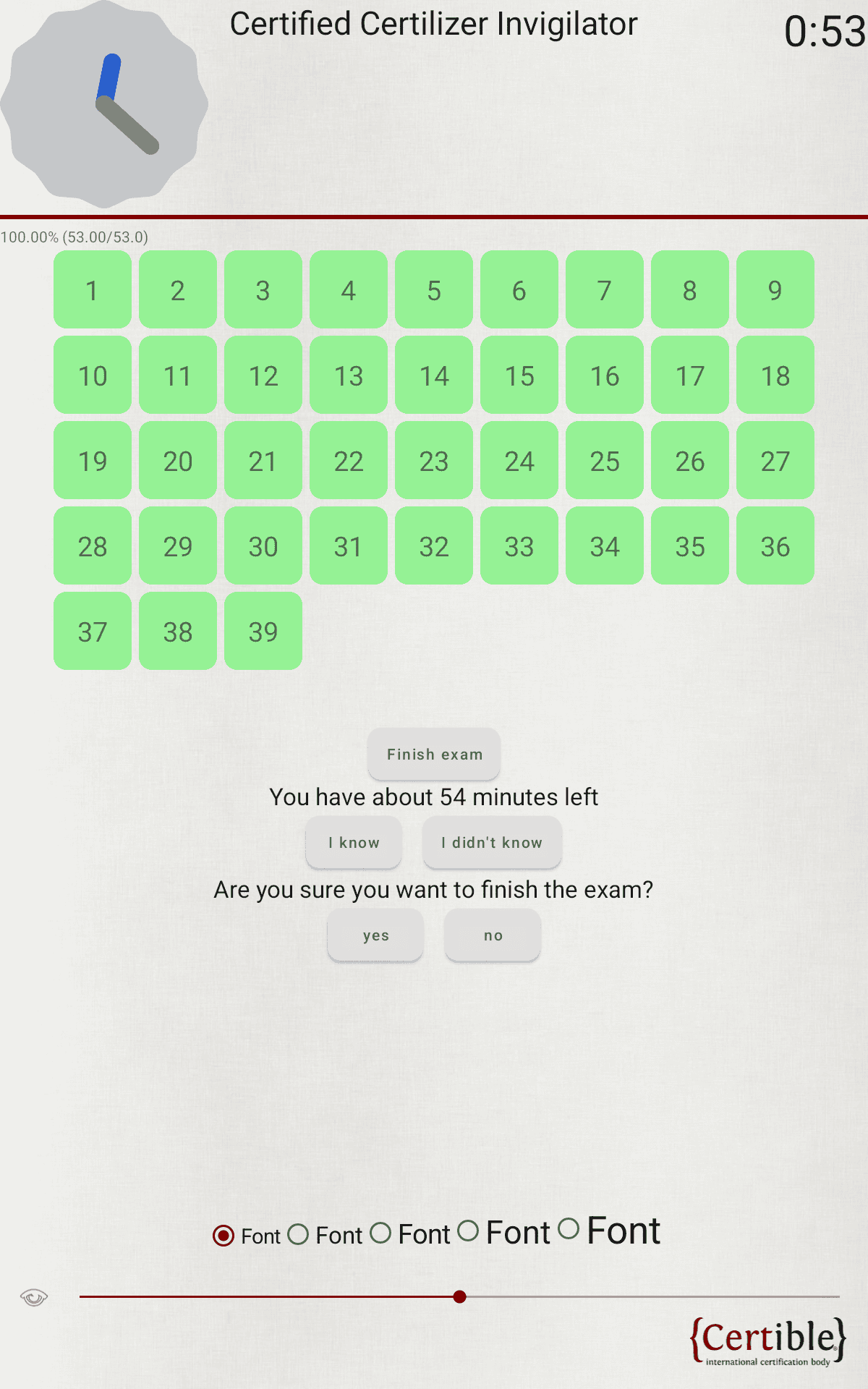
When you are done, tap Finish exam and confirm the prompts. If the time runs out, the exam ends automatically.
Done
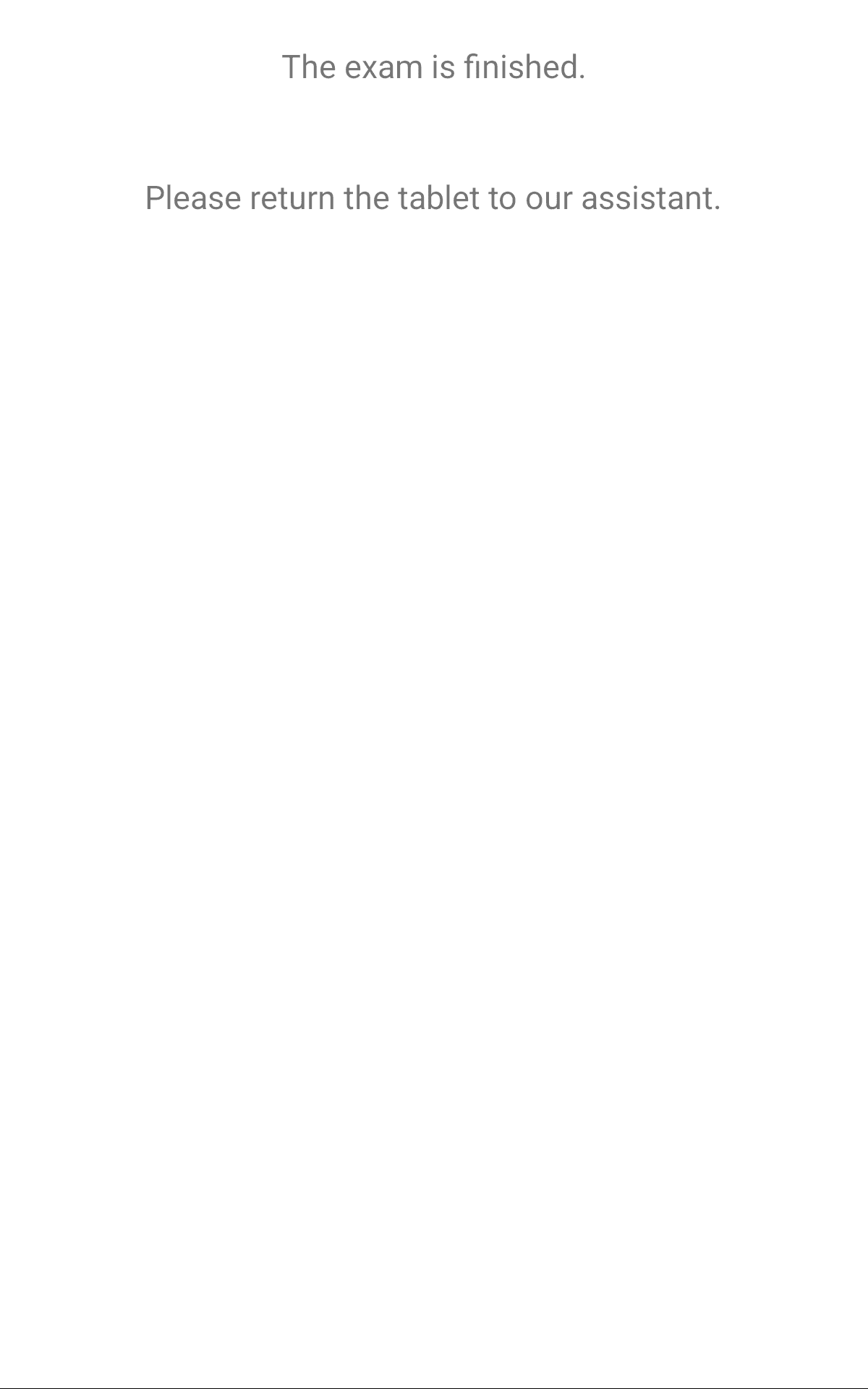
You then see a short confirmation that the exam is over. Please return the tablet to the proctor.